
Guide
How to start in pay per call as an affiliate: from sign-up to your first payout
By the LeadsRefer team · Updated October 7, 2026 · 10 min read
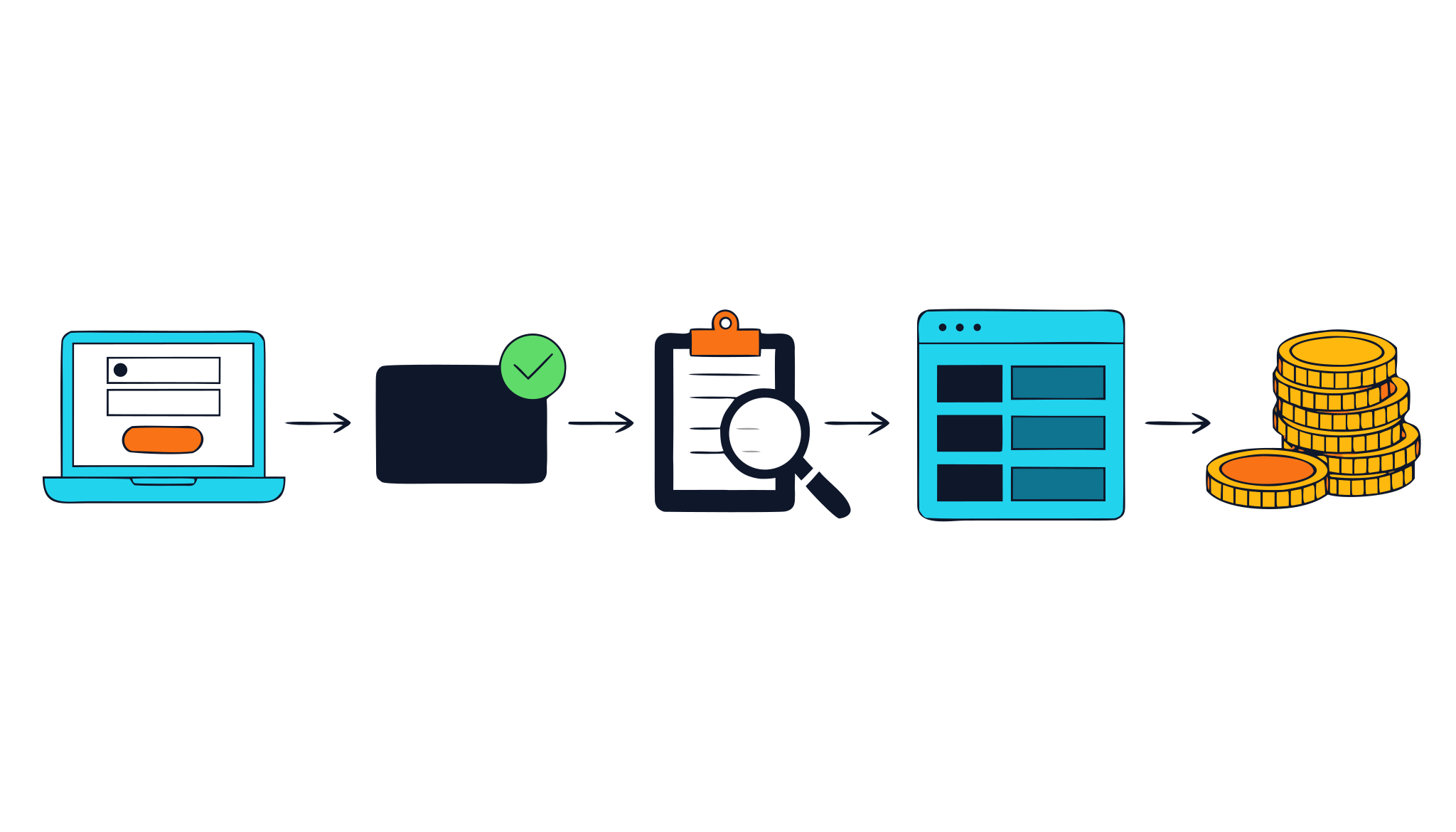
Becoming a pay per call affiliate means getting approved by a network, choosing offers whose rules fit your traffic, and sending consumers who phone an advertiser. You are paid for each call that meets the offer's rules. You do not need a product of your own, and you do not answer calls, bill customers or handle support. The work is in the traffic and in matching it to the right offer.
This guide walks through the whole path on a network like LeadsRefer: what to prepare, how sign-up and approval work, how to apply to a single offer, how to get your tracking number and run a first campaign, and how payment works. It describes how the process works and never promises earnings, because those depend on your traffic. If the model itself is new to you, read what pay per call is first.
What a pay per call affiliate does
An affiliate creates demand. You publish content, run search or social campaigns, or own local-intent websites, and each carries a phone number that belongs to you. When a consumer calls, the call goes to the advertiser, and if it meets the offer's rules you are paid for it.
- What you do: choose offers, create traffic, send callers, and read your results so you can improve them.
- What you do not do: sell the product, answer the calls, take payments from consumers or deal with their questions afterwards. The advertiser does all of that.
That split is why the quality of your traffic matters so much. You only control who calls and what they expect. The advertiser controls what happens once they are on the line.
What to have ready before you sign up
Sign-up asks for more than an email address, because the network pays people and needs to know who it is paying and how you plan to promote. Have these ready:
- A traffic plan. You are asked to describe how you will promote offers, in enough detail to be reviewed. "Social media" is not a plan. "Short videos about storm damage for homeowners in two states" is.
- Your legal name, a phone number and a postal address, which are used for payments and tax records.
- A payout method: PayPal, Wise or a bank transfer, with the details.
- Optionally, a website or profile that shows your work. It is not required for every kind of traffic, but a reviewer can look at it if you give one.
- Your tax ID, if you have it to hand. You can skip it at sign-up and add it later from your dashboard, but add it before your first payout so that payout is not held up.
Give accurate details. They are what the review and your payments rely on.
Create your account and complete the questionnaire
- Sign up as an affiliate. The first step asks for your email, a password, your name, an optional website and a short description of how you will promote. The second asks for your legal name, phone, address, payout method and tax details, and for you to accept the terms.
- Verify your email. A link is sent to the address you used. Follow it to confirm the account.
- Sign in and complete the onboarding questionnaire. It asks about your experience, the verticals you have promoted, the networks you work with, your traffic sources and volume, how you build pages and track results, and it asks you to agree to disclose your traffic sources, avoid prohibited methods and follow compliance rules.
- Wait for the review. While your account is pending, signing in shows a pending-approval page.
Answer the questionnaire honestly. Reviewers read it to decide whether to approve you, and a new affiliate with a clear plan is in a better position than one whose claims the rest of the details do not support.
Approval has two stages
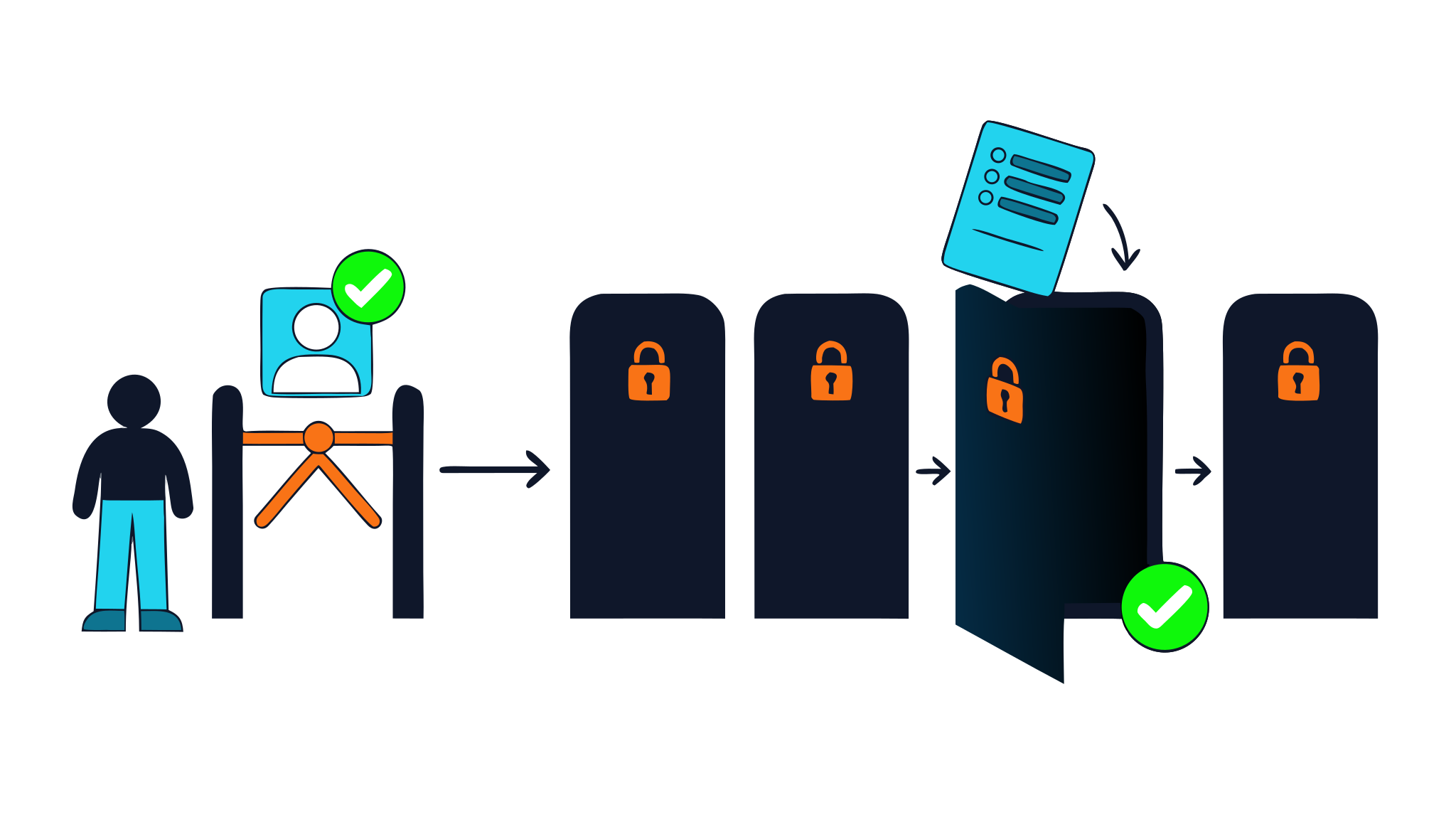
The first stage is your account. Every account is reviewed by hand, and until it is approved you cannot use the dashboard or get tracking links.
The second stage is each offer. Being an approved affiliate does not open any offer by itself. You apply to every offer separately, and each application is reviewed on its own. This is deliberate:
- Advertisers decide who sends them calls, and they want to know where the traffic comes from.
- In regulated categories, such as insurance and debt relief, the creative and the consent wording matter, so the application collects them before any traffic runs.
- You only take on the offers you can actually serve.
How to choose your first offer
Offers are listed on the offers page and, once you are approved, in your dashboard, where you can open any offer to read its full terms. Choose by fit, not by the biggest number.
- The rule behind the payout. A call has to meet the minimum length and the geography to be paid. A lower payout with a fair rule can be worth more than a high one you rarely meet.
- Geography and hours. Check that the traffic you can send comes from the area the advertiser serves, during the hours it answers.
- Prohibited traffic. Each offer lists what it does not accept, such as incentivized traffic, robocalls, SMS or email traffic and brand bidding. If your plan uses one of those methods, pick a different offer.
- Caps. A daily cap limits how many conversions count in a day, which matters if you plan to scale.
- Your own advantage. Choose a category where you can make genuinely relevant content or reach the right people.
Start with one offer, not five. One well-matched campaign teaches you more than several half-run ones. The verticals page shows which categories have live offers right now.
Applying to an offer
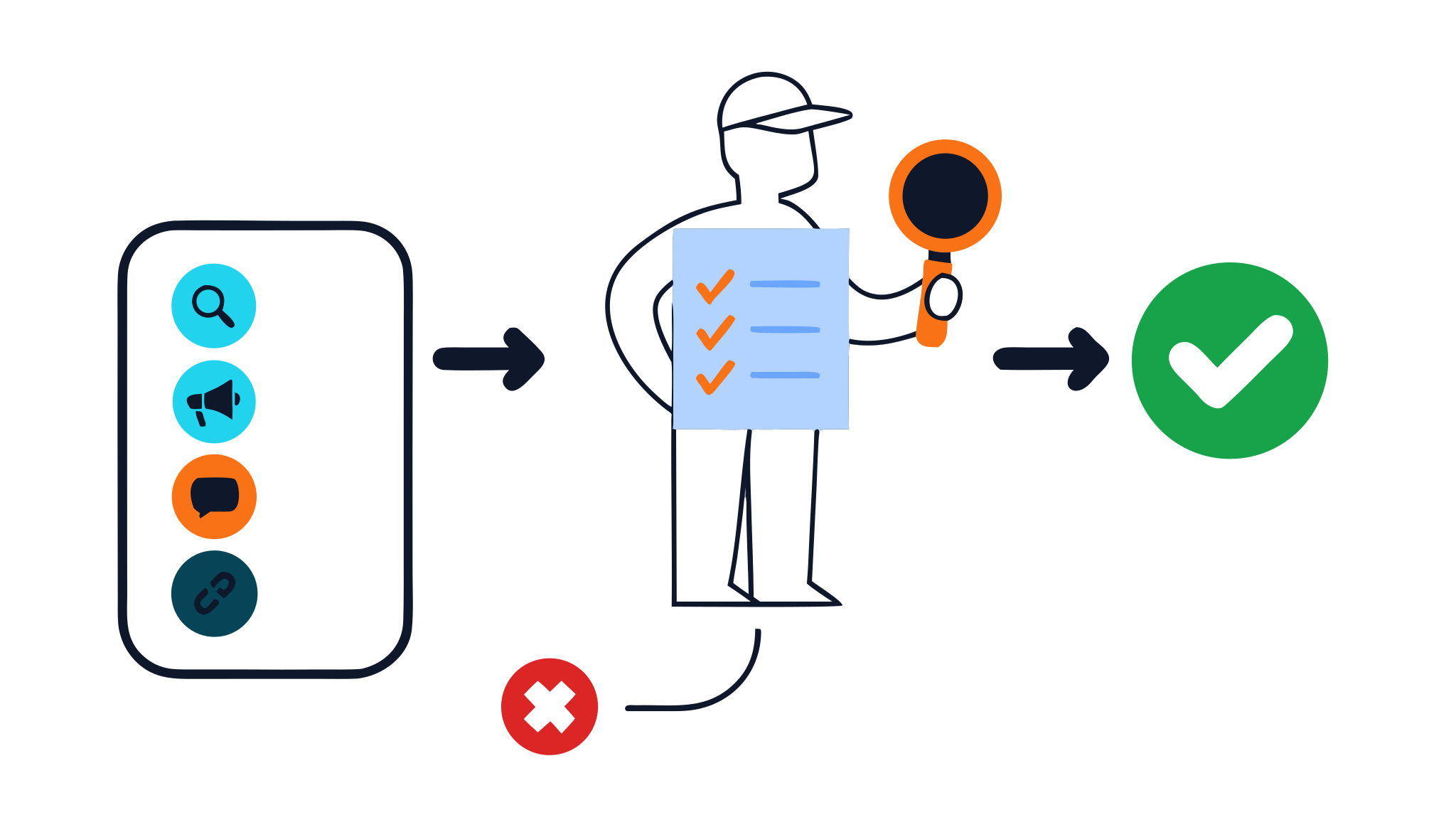
Open the offer in your dashboard, read its terms and choose Apply to promote. The application asks for what a reviewer needs to decide:
- The traffic methods you will use, such as paid search, SEO, paid social, organic social, email, SMS, display, native, a call centre, TV or radio, or sub-affiliates.
- The web addresses of the sites, landing pages or profiles the traffic will come from. If every method you choose is offline, such as TV or radio, an address is not required.
- Your creative: the actual headline and body copy you will run, or a detailed description. A summary of your strategy is not enough.
- The consent wording your audience sees, if your traffic involves email, SMS, a call centre, a sub-network or a dialer.
- An estimate of your daily volume, if you have one, and whether you use an autodialer.
Specific applications get decided, and vague ones are sent back. If you are not approved, the reviewer's note appears on the offer so you know what to change, and you can apply again.
Get your tracking number and run a first campaign
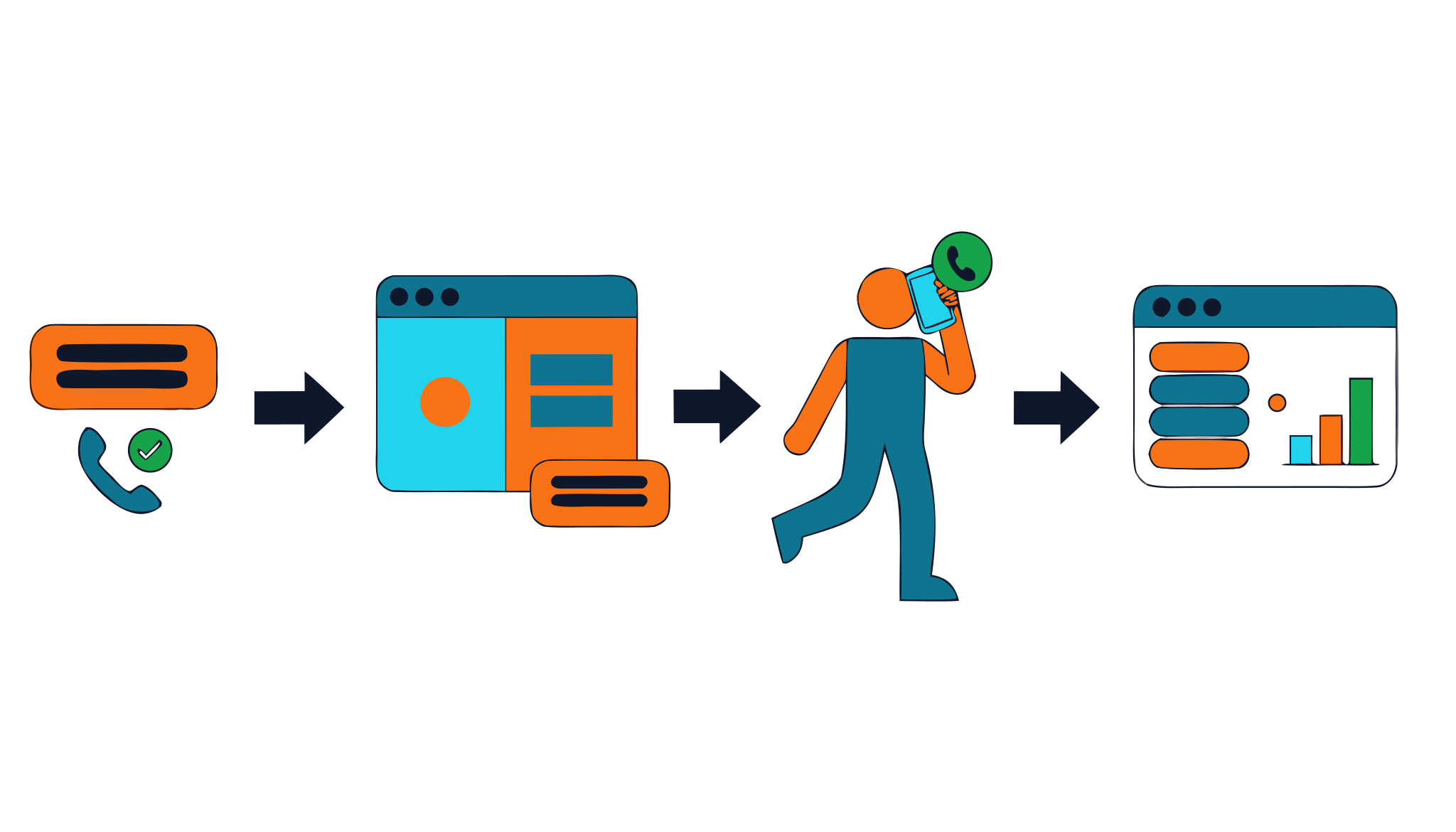
- Once you are approved on an offer, open its campaign setup in your dashboard.
- Request your own tracking number, with an area code of your choice if you like. Each offer allows a small number of numbers per affiliate, and a number that sits unused is eventually released, so ask for one when you are ready to use it.
- Check that the number works before you spend on traffic.
- Put the number where a consumer will see it: in your ad, on your page or in your listing. If you also run web traffic, the dashboard builds a tracking link for you. Add a SubID to see which source performs.
- Keep the first volume small. Many offers ask for a sample volume before you scale, and the offer's terms say so.
Every call appears in your dashboard with its status, including calls that do not qualify, so you can tell traffic that is not converting from traffic that is not connecting.
Traffic that tends to fit
- Search and SEO content aimed at people who are ready to act, with a clear phone number.
- Comparison and explainer pages that help someone decide, with a visible call prompt.
- Paid search, and paid social where the platform allows call-focused ad formats.
- Local and mobile traffic, because people dial from their phones.
Whatever you run, match the offer: send callers only from the geography and hours it covers, use only claims the advertiser accepts, and put the number where it is easy to find. The full guide to the model covers traffic in more depth.
How you get paid
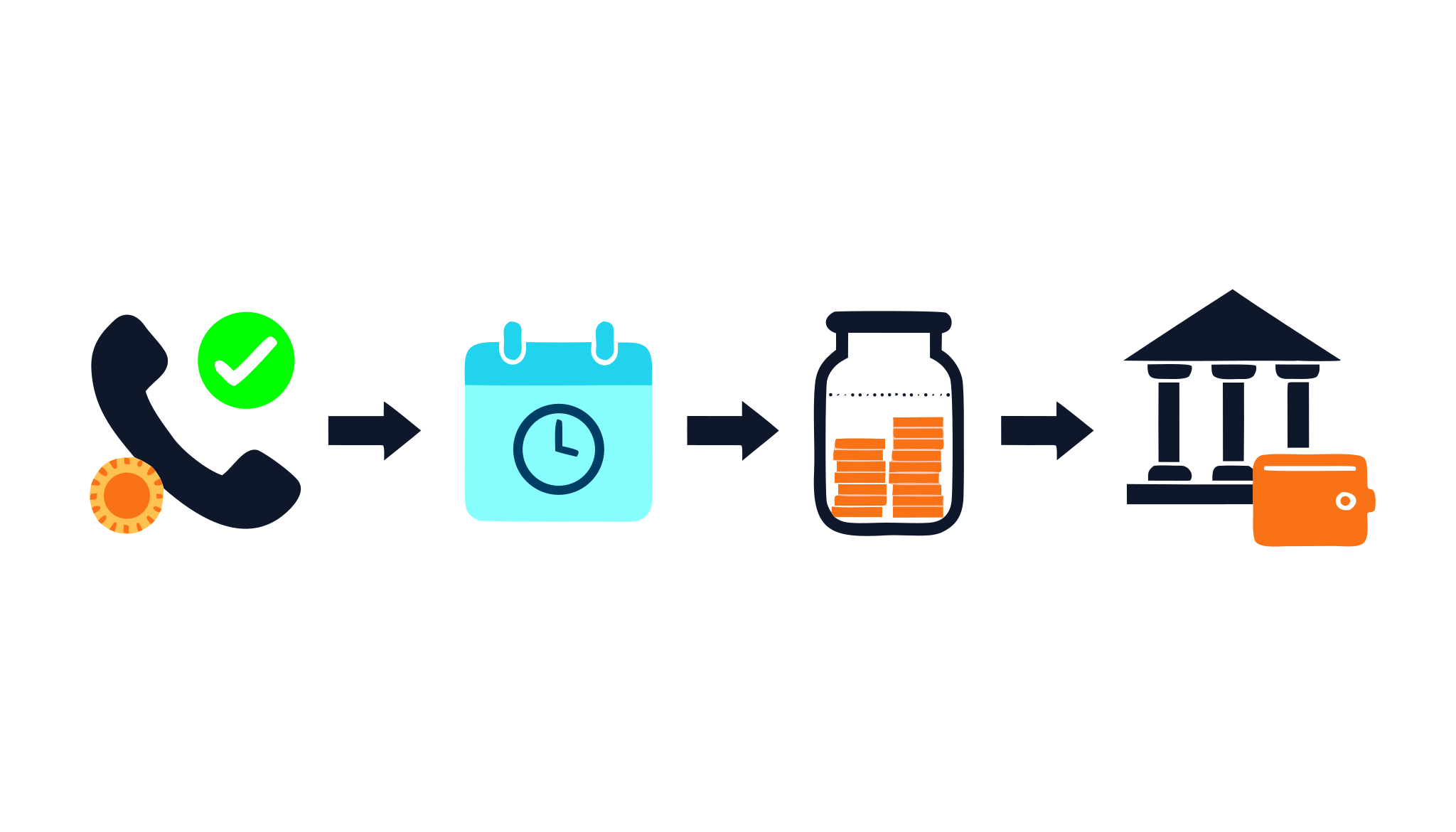
A call that meets the offer's rules becomes a conversion with a payout attached. It is not payable straight away: there is a payment window first, after which the amount becomes payable. When your payable balance reaches the network's minimum, it is paid by PayPal, Wise or bank transfer.
The payment terms and the minimum payout are on the network profile, which reads them from live configuration, so check there for the current figures.
- Add your tax details in your dashboard before your first payout so it is not held up.
- On some offers, conversions are reviewed before they become payable.
- Your dashboard shows pending and paid amounts, and your reports break results down by source.
Compliance basics
This is general information, not legal advice. Check the rules that apply to you and to each offer.
- Disclose your traffic sources. You agree to this in the onboarding questionnaire, and an offer's reviewer needs the details to approve you.
- Do not use prohibited methods. Each offer lists them, and traffic that uses one puts your approval at risk.
- Consent. The rules on contacting consumers, including the Telephone Consumer Protection Act, are strictest for texts and automated calls. If you contact consumers directly, keep records of consent.
- Claims. Do not promise outcomes you cannot control, and do not imply you are the advertiser, an insurer or a government body.
Common mistakes
- Judging an offer by its payout and ignoring its qualification rule.
- Applying with a vague plan and a one-line description of the creative.
- Assuming an approved account can promote any offer.
- Sending traffic from outside the geography or hours the advertiser covers.
- Spending heavily before testing the number and a small volume.
- Skipping the tax details and holding up the first payout.
Most of these come down to the same thing: read the offer's terms before you spend, and start small enough to learn from.
Frequently asked questions
- Do I need a website to become a pay per call affiliate?
- No. A website is optional at sign-up, and some traffic, such as paid search that leads straight to a call, does not need one. If you have a site or profile, give it, because the reviewer will look at it. Offers ask for the web addresses of your traffic sources when you apply, unless all of your methods are offline.
- Do I need experience in affiliate marketing?
- The onboarding questionnaire asks about your experience, and reviewers read it, so describe it honestly. A clear, specific plan matters more than a long history, and you should expect to start with one offer and a small volume.
- How long does approval take?
- Every account and every offer application is reviewed by hand, so it depends on the review queue and on how complete and specific your details are. While you wait you can sign in to see whether your account is still pending.
- Does approval give me access to every offer?
- No. Approval of your account lets you use the dashboard. You then apply to each offer separately, and each application is reviewed on its own. Only approved offers give you tracking links and numbers.
- How do I get a tracking number?
- Once you are approved on an offer, open its campaign setup in your dashboard and request a number, optionally in an area code you choose. The number is yours for that offer, so every call to it is credited to you.
- How and when do I get paid?
- Qualified calls become payable after the payment window, and are paid by PayPal, Wise or bank transfer once your payable balance reaches the network minimum. The current payment terms and minimum are on the network profile. Add your tax details before your first payout.
- What if my application to an offer is not approved?
- The reviewer's note is shown on the offer so you can see what to change, and you can apply again with a more specific description of your traffic and creative.
Keep reading
- What is pay per call? A plain-English guide for affiliates and advertisersPay per call explained: how it works, who pays whom, what makes a call qualified, how payouts are set, and how to start as an affiliate or an advertiser.
- Pay per call marketing: a buyer's guide for advertisersHow to buy phone calls from affiliates: set a payout, write fair call rules, answer well, measure what matters, and avoid fraud and compliance trouble.
- Pay per call affiliate networks and programs: how to compare them and choosePay per call networks, direct programs and call platforms explained, with a checklist to compare terms, fraud handling and support before you send traffic.
Ready to start?
Browse the live offers to see each payout, geography and call rule, then apply as an affiliate. If you buy calls, apply as an advertiser.